jshell是Java9新增的一个实用工具。jshell为Java增加了类似NodeJS和Python中的读取-求值-打印循环(Read-Evaluation-PrintLoop)。在jshell中可以直接输入表达式并查看其执行结果。当需要测试一个方法的运行效果,或是快速的对表达式进行求值时,jshell都非常实用。只需要通过jshell命令启动jshell,然后直接输入表达式即可。每个表达式的结果会被自动保存下来,以数字编号作为引用,类似$1和$2这样的名称。可以在后续的表达式中引用之前语句的运行结果。在jshell中,除了表达式之外,还可以创建Java类和方法。jshell也有基本的代码完成功能。
启动jshell
安装jdk并配置好环境之后,在控制台输入jshell启动
BOBOdeRMBP:~ bobo$ java -version
java version "9"
Java(TM) SE Runtime Environment (build 9+181)
Java HotSpot(TM) 64-Bit Server VM (build 9+181, mixed mode)
BOBOdeRMBP:~ bobo$ jshell
|  欢迎使用 JShell -- 版本 9
|  要大致了解该版本, 请键入: /help intro

jshell> /help intro
|
|  intro
|
|  使用 jshell 工具可以执行 Java 代码, 从而立即获取结果。
|  您可以输入 Java 定义 (变量, 方法, 类, 等等), 例如:  int x = 8
|  或 Java 表达式, 例如:  x + x
|  或 Java 语句或导入。
|  这些小块的 Java 代码称为 '片段'。
|
|  这些 jshell 命令还可以让您了解和
|  控制您正在执行的操作, 例如:  /list
|
|  有关命令的列表, 请执行: /help
jshell> /help
|  键入 Java 语言表达式, 语句或声明。
|  或者键入以下命令之一:
|  /list [<名称或 id>|-all|-start]
|  	列出您键入的源
|  /edit <名称或 id>
|  	编辑按名称或 id 引用的源条目
|  /drop <名称或 id>
|  	删除按名称或 id 引用的源条目
|  /save [-all|-history|-start] <文件>
|  	将片段源保存到文件。
|  /open <file>
|  	打开文件作为源输入
|  /vars [<名称或 id>|-all|-start]
|  	列出已声明变量及其值
|  /methods [<名称或 id>|-all|-start]
|  	列出已声明方法及其签名
|  /types [<名称或 id>|-all|-start]
|  	列出已声明的类型
|  /imports
|  	列出导入的项
|  /exit
|  	退出 jshell
|  /env [-class-path <路径>] [-module-path <路径>] [-add-modules <模块>] ...
|  	查看或更改评估上下文
|  /reset [-class-path <路径>] [-module-path <路径>] [-add-modules <模块>]...
|  	重启 jshell
|  /reload [-restore] [-quiet] [-class-path <路径>] [-module-path <路径>]...
|  	重置和重放相关历史记录 -- 当前历史记录或上一个历史记录 (-restore)
|  /history
|  	您键入的内容的历史记录
|  /help [<command>|<subject>]
|  	获取 jshell 的相关信息
|  /set editor|start|feedback|mode|prompt|truncation|format ...
|  	设置 jshell 配置信息
|  /? [<command>|<subject>]
|  	获取 jshell 的相关信息
|  /!
|  	重新运行上一个片段
|  /<id>
|  	按 id 重新运行片段
|  /-<n>
|  	重新运行前面的第 n 个片段
|
|  有关详细信息, 请键入 '/help', 后跟
|  命令或主题的名称。
|  例如 '/help /list' 或 '/help intro'。主题:
|
|  intro
|  	jshell 工具的简介
|  shortcuts
|  	片段和命令输入提示, 信息访问以及
|  	自动代码生成的按键说明
|  context
|  	/env /reload 和 /reset 的评估上下文选项

jshell>
我们使用hello-java-9一文中的代码进行测试,直接使用jshell,不去创建项目,配置maven,打包运行来测试Java9语法新接口和特性。
首先我们先测试一下基本功能。
jshell>  System.out.println("Hello, Java 9, now I am in JShell!")
Hello, Java 9, now I am in JShell!

jshell>
引用包
使用/imports可以查看已经引用的包,包括默认引用。
例如我们要测试LocalDateTime类的方法,需要手动引用java.time包的内容,可以如下手动引用
jshell> import java.time.*;

jshell> /imports
|    import java.io.*
|    import java.math.*
|    import java.net.*
|    import java.nio.file.*
|    import java.util.*
|    import java.util.concurrent.*
|    import java.util.function.*
|    import java.util.prefs.*
|    import java.util.regex.*
|    import java.util.stream.*
|    import java.time.*

jshell> System.out.print(LocalDateTime.now())
2018-02-06T15:58:54.532902
jshell>
自动补全
jshell提供有命令和代码的自动补全,无论是代码还是命令都可以使用tab键进行提示,这对于快速编写短小的测试代码提高了很大的效率。
代码提示:
jshell> LocalDate
LocalDate       LocalDateTime

签名:
java.time.LocalDate

<再次按 Tab 可查看文档>

jshell> LocalDate
java.time.LocalDate
A date without a time-zone in the ISO-8601 calendar system, such as 2007-12-03 .
 LocalDate is an immutable date-time object that represents a date, often viewed as
year-month-day. Other date fields, such as day-of-year, day-of-week and week-of-year, can also
be accessed. For example, the value "2nd October 2007" can be stored in a LocalDate .
This class does not store or represent a time or time-zone. Instead, it is a description of the
date, as used for birthdays. It cannot represent an instant on the time-line without additional
information such as an offset or time-zone.
The ISO-8601 calendar system is the modern civil calendar system used today in most of the
world. It is equivalent to the proleptic Gregorian calendar system, in which today's rules for
leap years are applied for all time. For most applications written today, the ISO-8601 rules
are entirely suitable. However, any application that makes use of historical dates, and
requires them to be accurate will find the ISO-8601 approach unsuitable.
This is a value-based class; use of identity-sensitive operations (including reference equality
( == ), identity hash code, or synchronization) on instances of LocalDate may have
unpredictable results and should be avoided. The equals method should be used for comparisons.

jshell> LocalDate
命令提示:
jshell> /e
/edit    /env     /exit

<再次按 Tab 可查看提要>

jshell> /e
/edit
编辑按名称或 id 引用的源条目

/env
查看或更改评估上下文

/exit
退出 jshell

<再次按 Tab 可查看完整文档>

jshell> /e
执行代码
- 直接创建类(这里只是演示可支持类、方法的定义,非必须。)
jshell> class Test{}
|  已创建 类 Test

jshell> class Test{
   ...> public void add(int a,int b){System.out.print(a+b);}
   ...> }
|  已替换 类 Test

jshell>
重新定义相同名字的片段会直接覆盖上一个片段。
2. 创建对象
jshell> Test testObj = new Test()
testObj ==> Test@6fd02e5

jshell> testObj.add(3,4)
7
jshell> - 直接定义方法、对象
jshell> int i = 5
i ==> 5

jshell> int j = 9
j ==> 9

jshell> void product(int a,int b){System.out.print(a+"*"+b+"="+(a*b));}
|  已创建 方法 product(int,int)

jshell> product(i,j)
5*9=45
jshell> - 编辑代码片段
除了再写一个同名的片段覆盖之前代码外,我们可以使用/edit命令对之前的代码片段进行修改。
例如我们定义的product方法输出的是a*b=结果,而Test类的add方法则直接输出的是结果。我们可以修改add方法的输出。
先试用/list方法查看所有的片段
jshell> /list

   2 : class Test{
       public void add(int a,int b){System.out.print(a+b);}
       }
   3 : Test testObj = new Test();
   4 : testObj.add(3,4)
   5 : int i = 5;
   6 : int j = 9;
   7 : void product(int a,int b){System.out.print(a+"*"+b+"="+(a*b));}
   8 : product(i,j)

jshell>
使用/edge命令可以编辑全部,或指定的片段。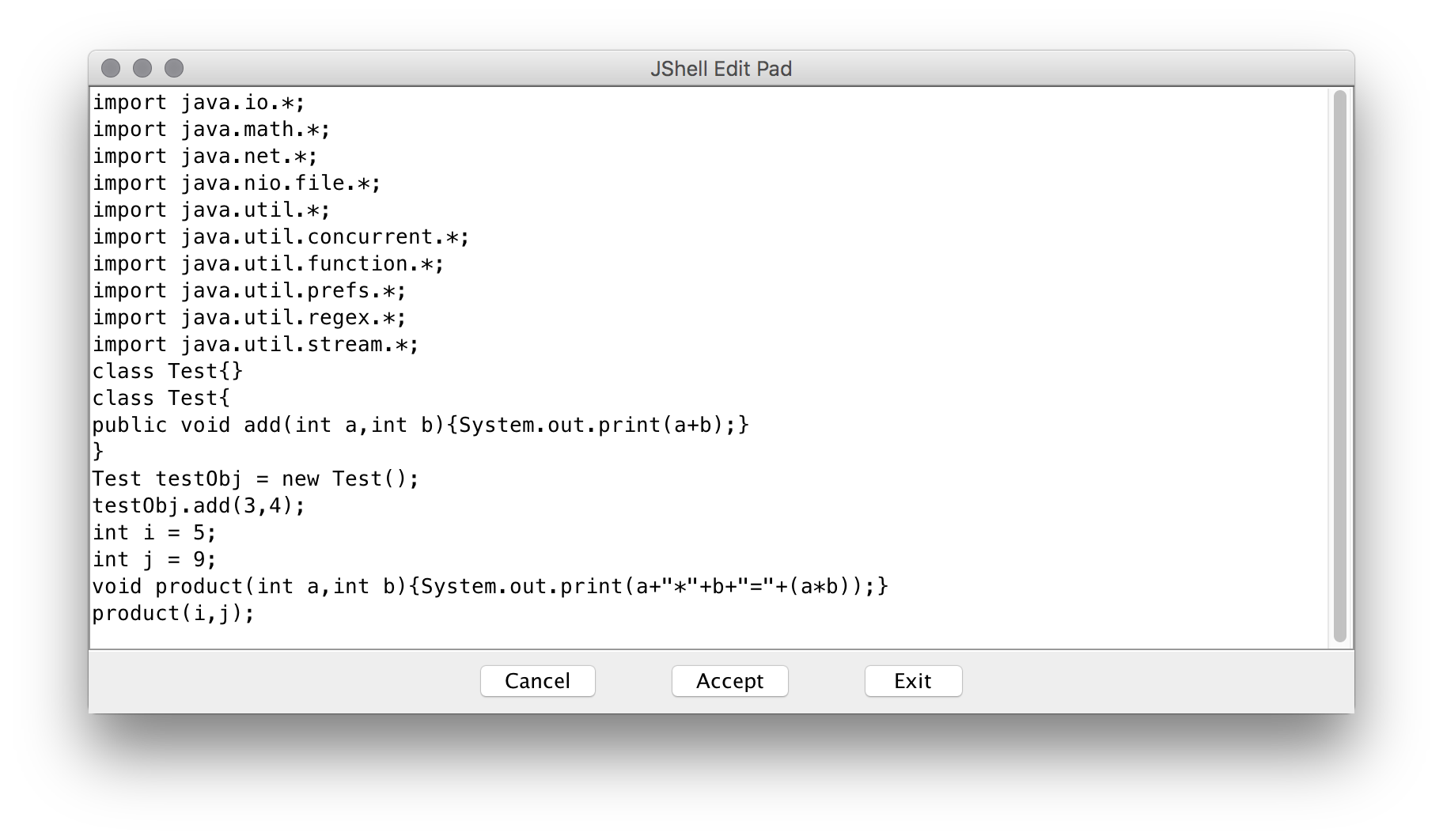
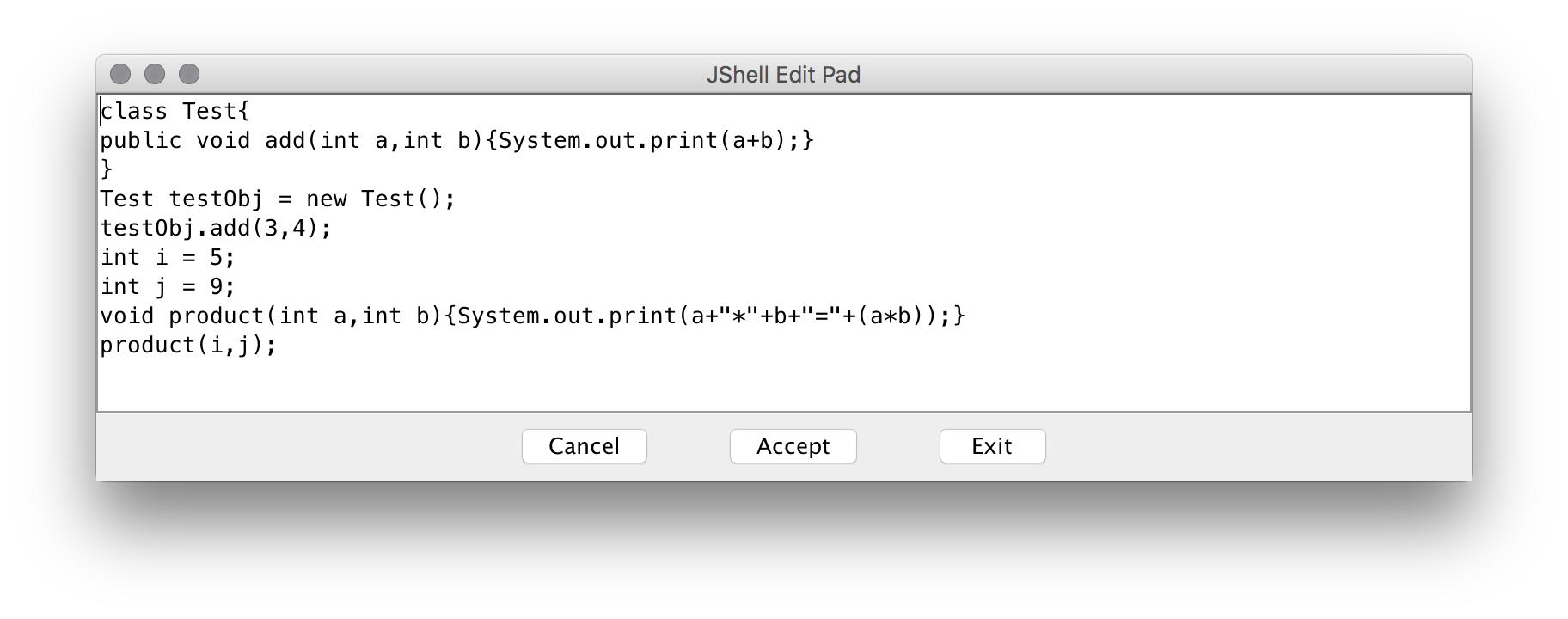
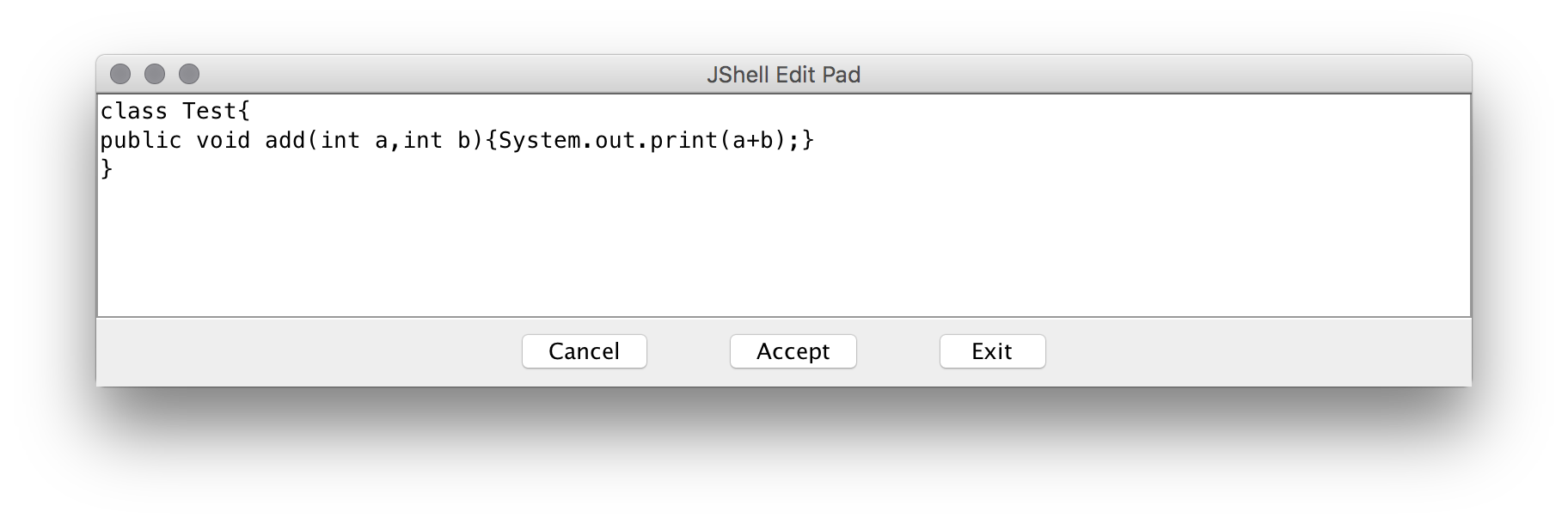
我们直接在jshell edit pad修改Test类为一下代码。
class Test {
    public void add(int a, int b) {
        System.out.print(a + "+" + b + "=" + (a + b));
    }
}
点击Accept,查看控制台
jshell> /edit Test
Exception "java.lang.ClassNotFoundException: com/intellij/codeInsight/editorActions/FoldingData"while constructing DataFlavor for: application/x-java-jvm-local-objectref; class=com.intellij.codeInsight.editorActions.FoldingData
Exception "java.lang.ClassNotFoundException: com/intellij/codeInsight/editorActions/FoldingData"while constructing DataFlavor for: application/x-java-jvm-local-objectref; class=⌘.intellij.codeInsight.editorActions.FoldingData
Exception "java.lang.ClassNotFoundException: com/intellij/codeInsight/editorActions/ReferenceData"while constructing DataFlavor for: application/x-java-jvm-local-objectref; class=⌘.intellij.codeInsight.editorActions.ReferenceData
Exception "java.lang.ClassNotFoundException: com/intellij/codeInsight/editorActions/ReferenceData"while constructing DataFlavor for: application/x-java-jvm-local-objectref; class=⌘.intellij.codeInsight.editorActions.ReferenceData
|  已修改 类 Test

jshell> /list

   3 : Test testObj = new Test();
   4 : testObj.add(3,4)
   5 : int i = 5;
   6 : int j = 9;
   7 : void product(int a,int b){System.out.print(a+"*"+b+"="+(a*b));}
   8 : product(i,j)
   9 : class Test {
           public void add(int a, int b) {
               System.out.print(a + "+" + b + "=" + (a + b));
           }
       }

jshell>
最后测试一下修改后的代码
jshell> product(i,j)
5*9=45
jshell> testObj.add(i,j)
5+9=14
jshell>
退出
/exit
以上就是对jshell的简单介绍,jshell还有更多使用的功能,例如/open命令可以将文件作为输入源等等, 大家可以自己动手实验。
使用jshell可以快速执行一些脚本和代码,避免了建项目、打包等冗余操作,还可以快速在远端环境测试一些代码片段,能极大缩短不必要的时间浪费。
小技巧:在shell中,按下回车会立即执行当前代码片段,而有些方法往往需要写好几行,按下shift+enter来换行